Starting in South AfricaIn development

Know what’s
happening
around you.

Nearby incidents. Local updates. A map that puts them in context. Lookout is being built to help you understand your surroundings before you head out, choose a route or visit somewhere new.
Launch and early-access updates only. Joining doesn’t create an app account or enable location sharing. Privacy

Incident updates
Alerts for your areas
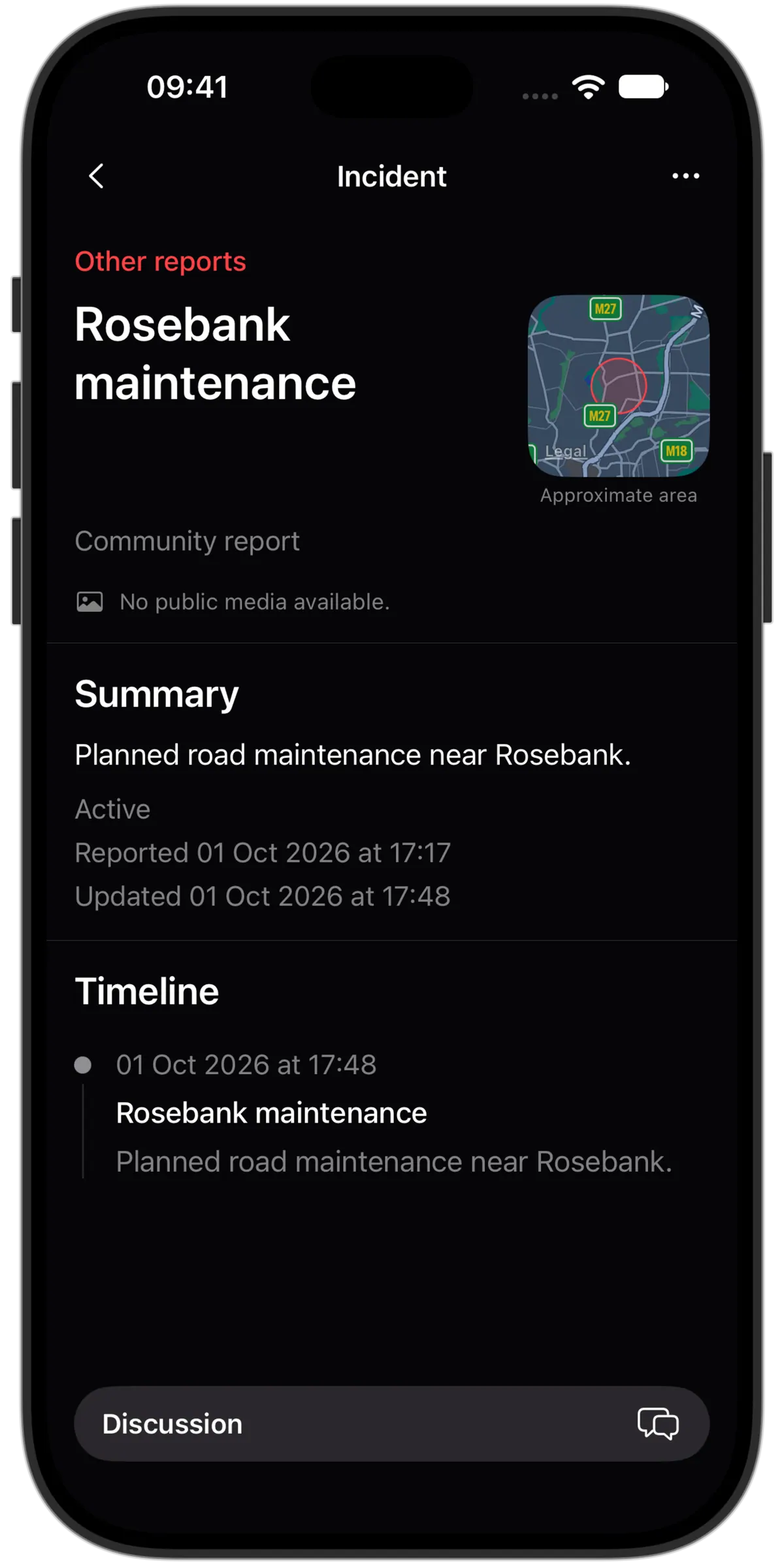
The incident detail and update timeline in the Lookout iPhone app
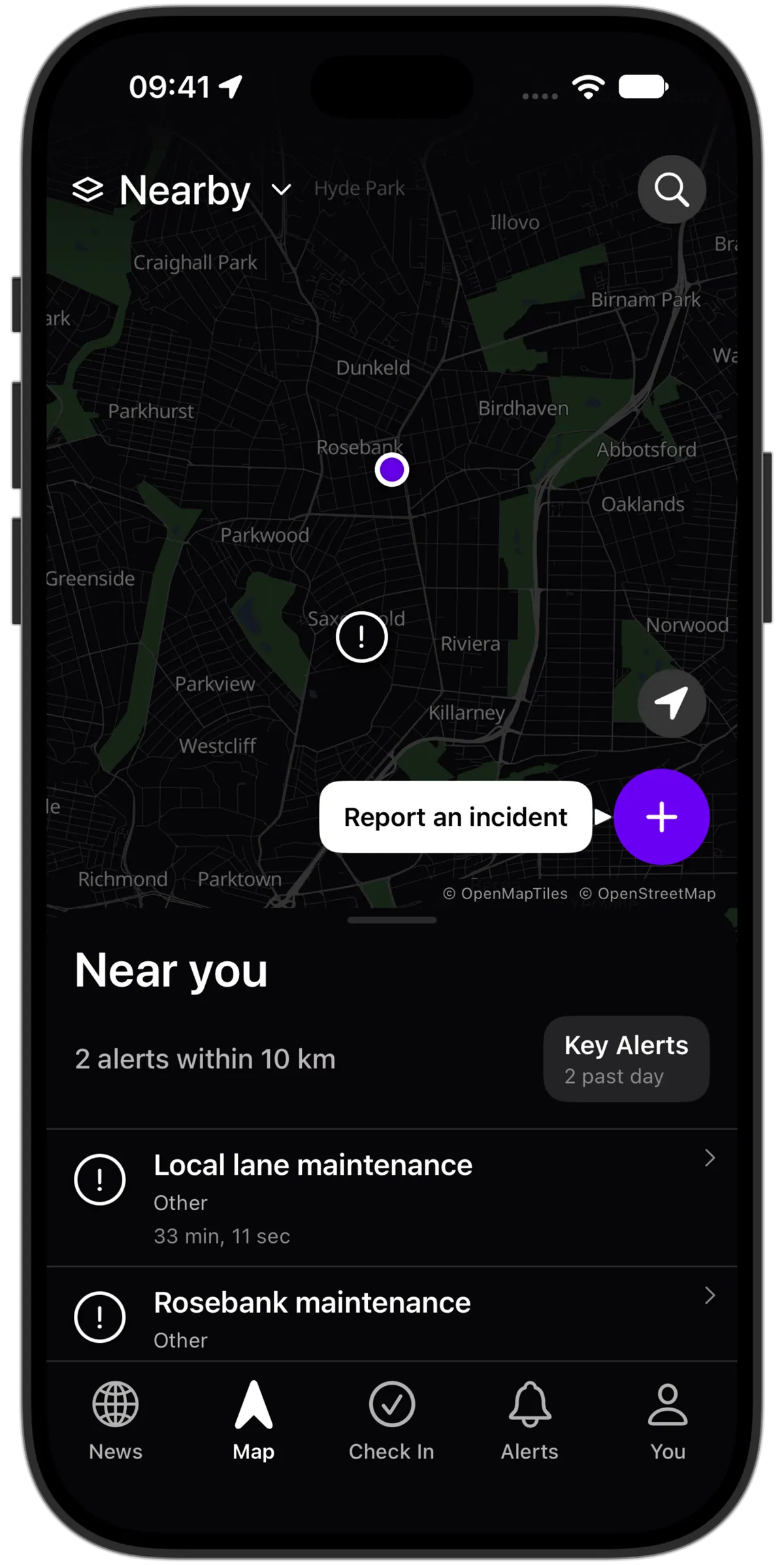
Lookout’s live map on an iPhone, captured in the iOS Simulator
Alert zone map, notification radius slider and incident category filters in the Lookout iPhone app

A look at what we’re building. Real screens from the iPhone app in development.

Local information. Shared responsibly.

Community-reported incidentsModerated reportsAlerts you chooseNo public live location
Lookout’s live map on an iPhone, captured in the iOS Simulator

See the incident.
Read the context.

A message in a group chat rarely tells the whole story. Find reports on the map, see where they happened and follow the updates in one place.

The location, not just the headline

See where an incident was reported and open it for the details.

Follow the developing story

Read updates and community context together as more information comes in.

Explore nearby awareness
1

Open the map

Check nearby reports or explore an area you’re planning to visit.

2

Follow a place

Set an alert zone around home, work or another location you care about.

3

Read the latest

Open an incident for updates before deciding where to go.

Your area.
At a glance.

The map is the starting point. Go deeper into reports, choose your alerts or share an update of your own.
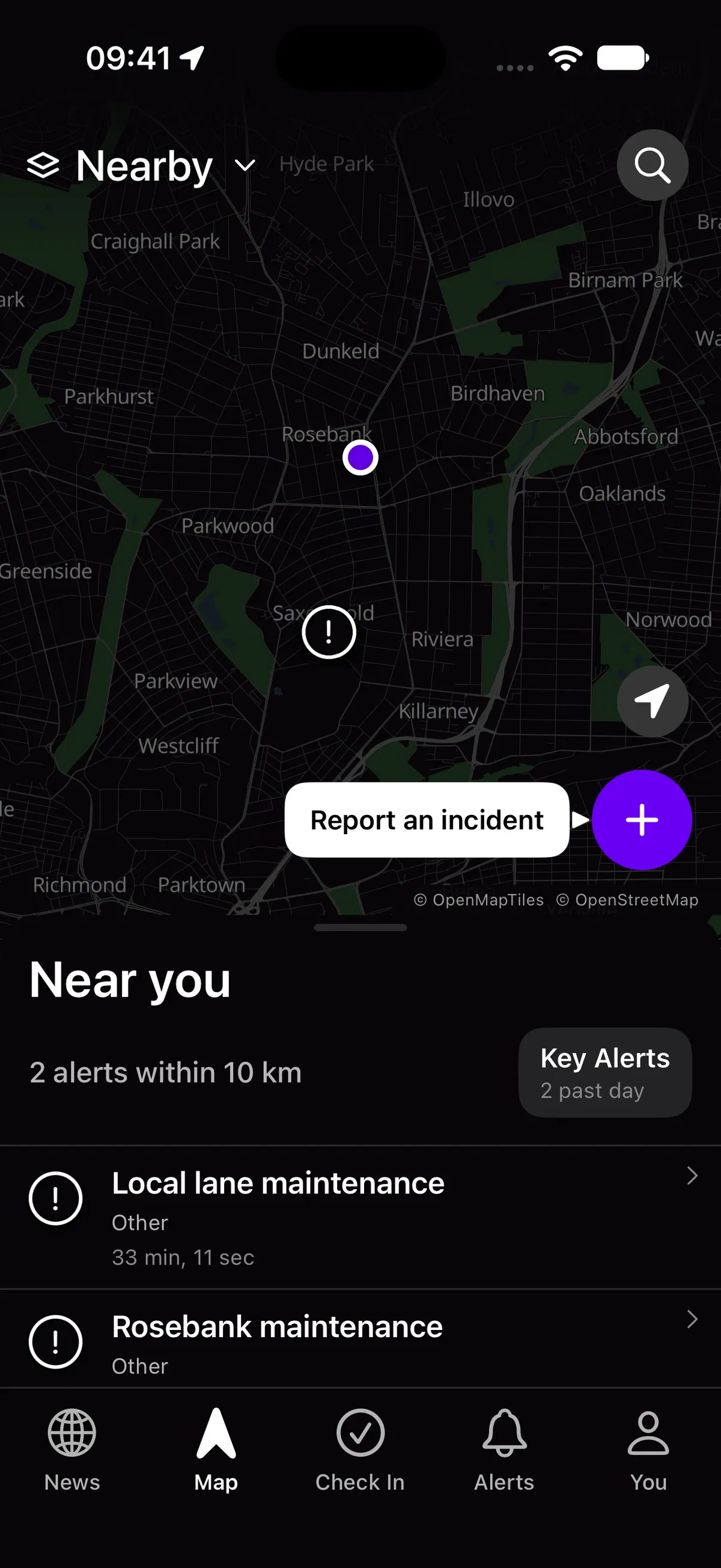
Incident Map

See nearby reports before making everyday plans.

Lookout’s live map on an iPhone, captured in the iOS Simulator
01 / LOOKOUT

Alert Zones

Follow the places you care about, with alerts you choose.
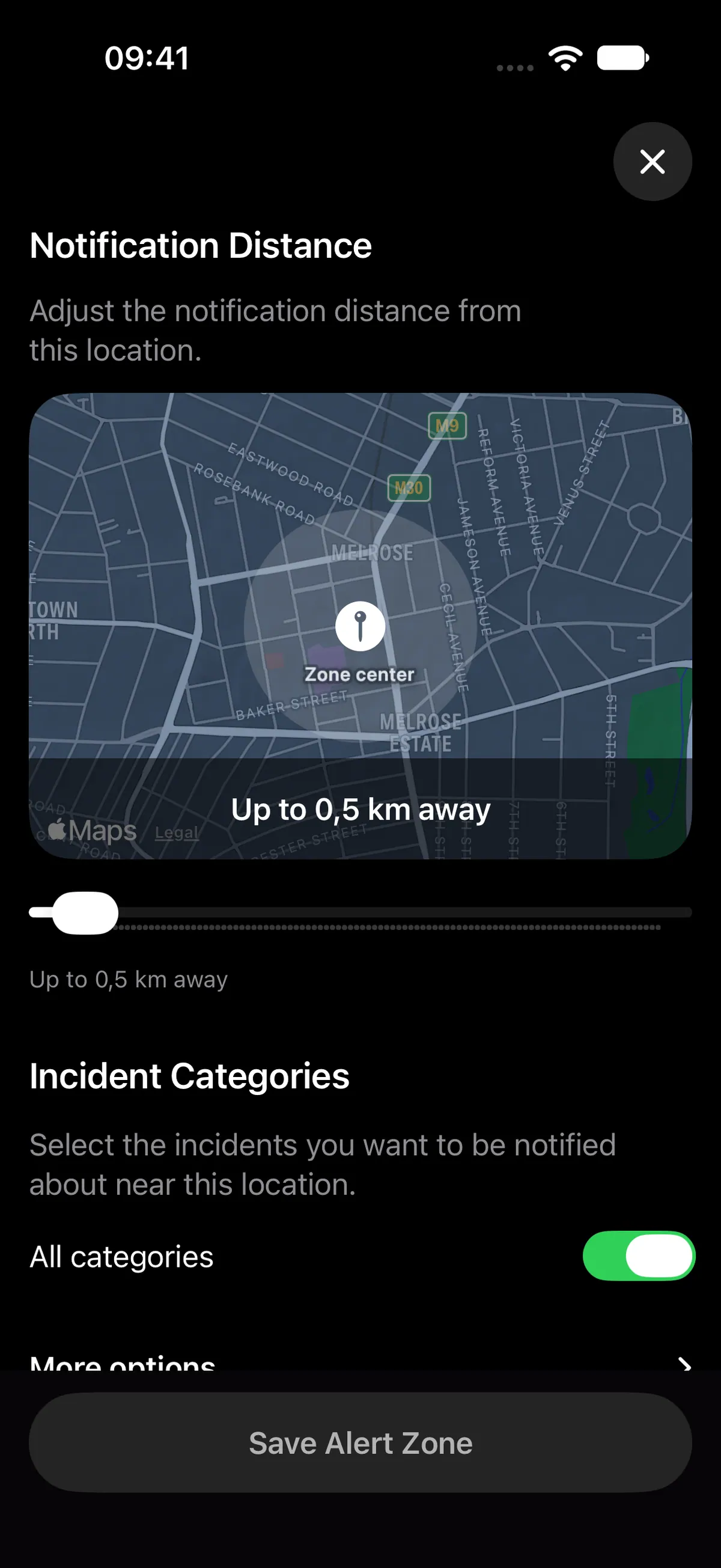
Alert zone map, notification radius slider and incident category filters in the Lookout iPhone app

Incident Updates

Open a report for details and the latest community context.
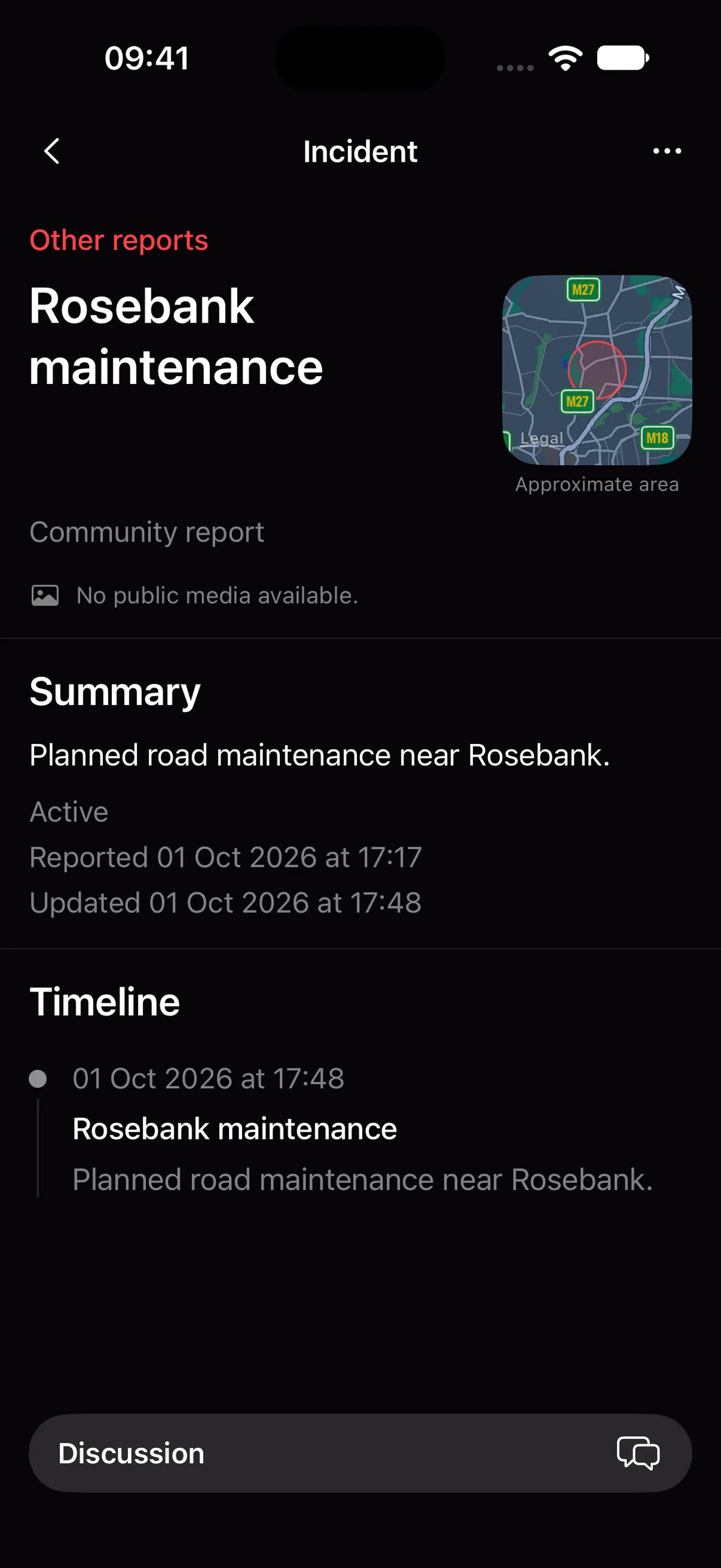
The incident detail and update timeline in the Lookout iPhone app

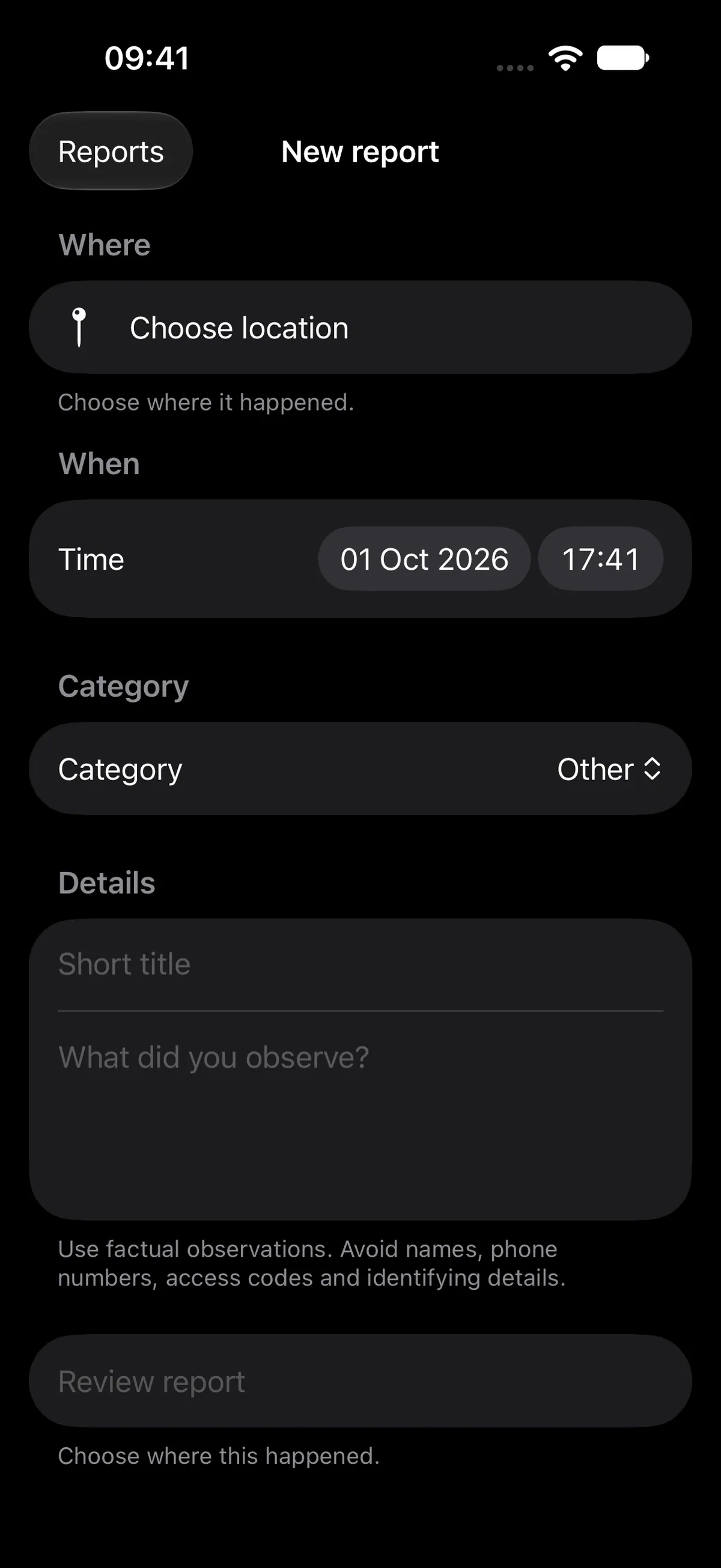
Community Reports

Report what’s happening and help others understand the situation.

The New report form for community reporting in the Lookout iPhone app
04 / LOOKOUT

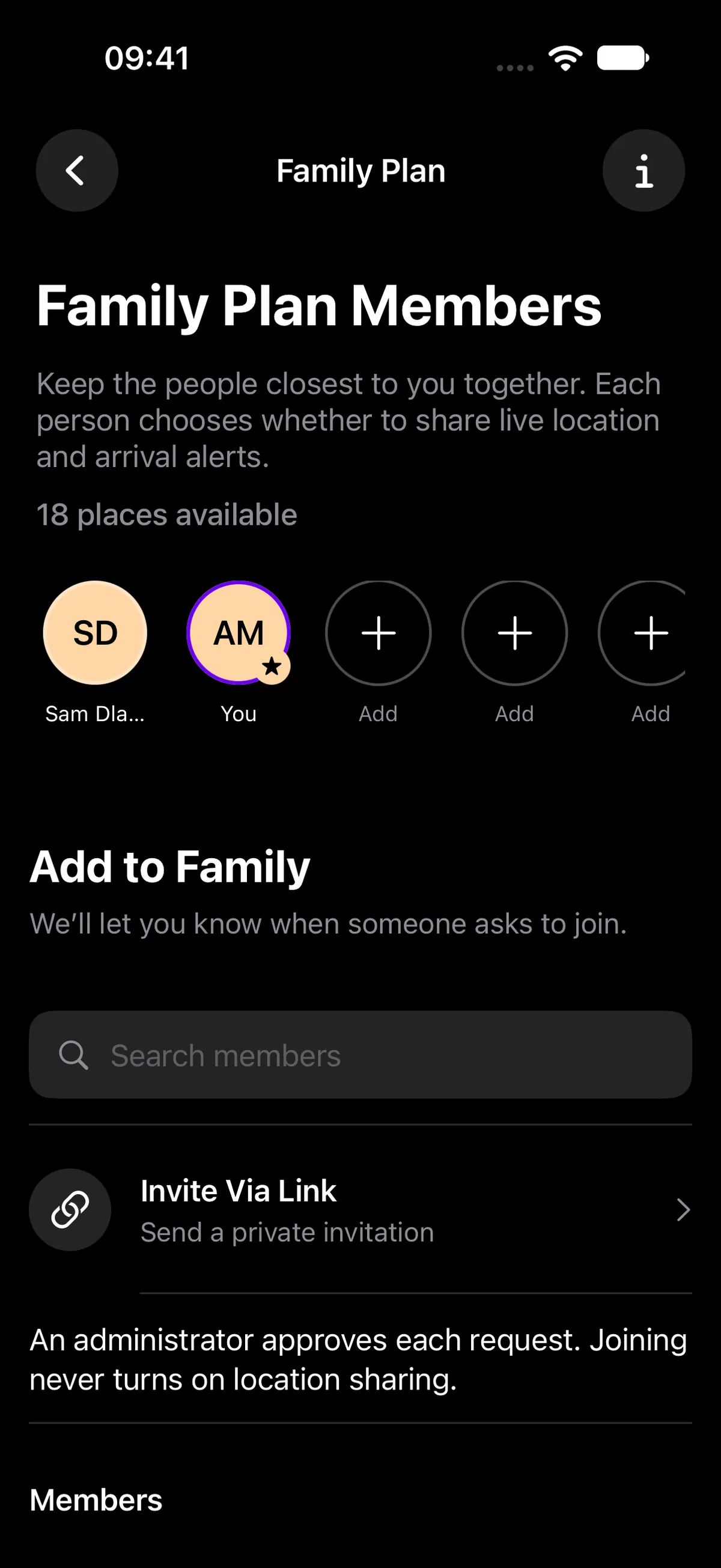
Family & Friends

Keep trusted people close, with location sharing you control.

Lookout’s family members and private invitation controls
05 / LOOKOUT

Private SOS

Ask selected trusted contacts for help, without a public broadcast.
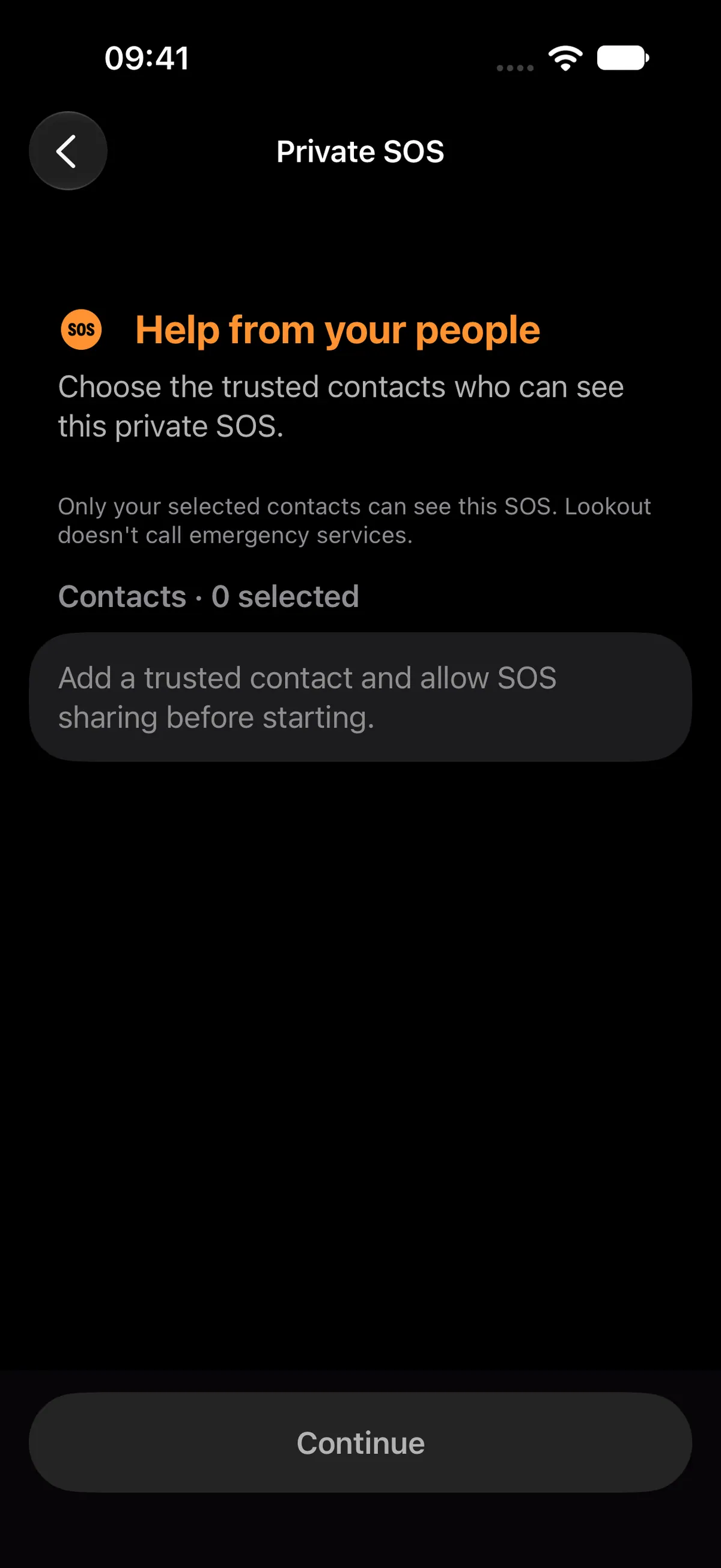
Private SOS options in the Lookout iPhone app

Map data © OpenStreetMap contributors · © OpenMapTiles

Explore all features

A better-informed
neighbourhood.

Saw something others should know about? A road obstruction, a fire or an incident nearby—your report can give someone else the context they’re missing.

Report what you know

Choose a category, add the location and share useful details about what happened.

Moderation comes first

Reports are reviewed before publication. Discussion comments are screened and moderated. Neither verifies every detail.
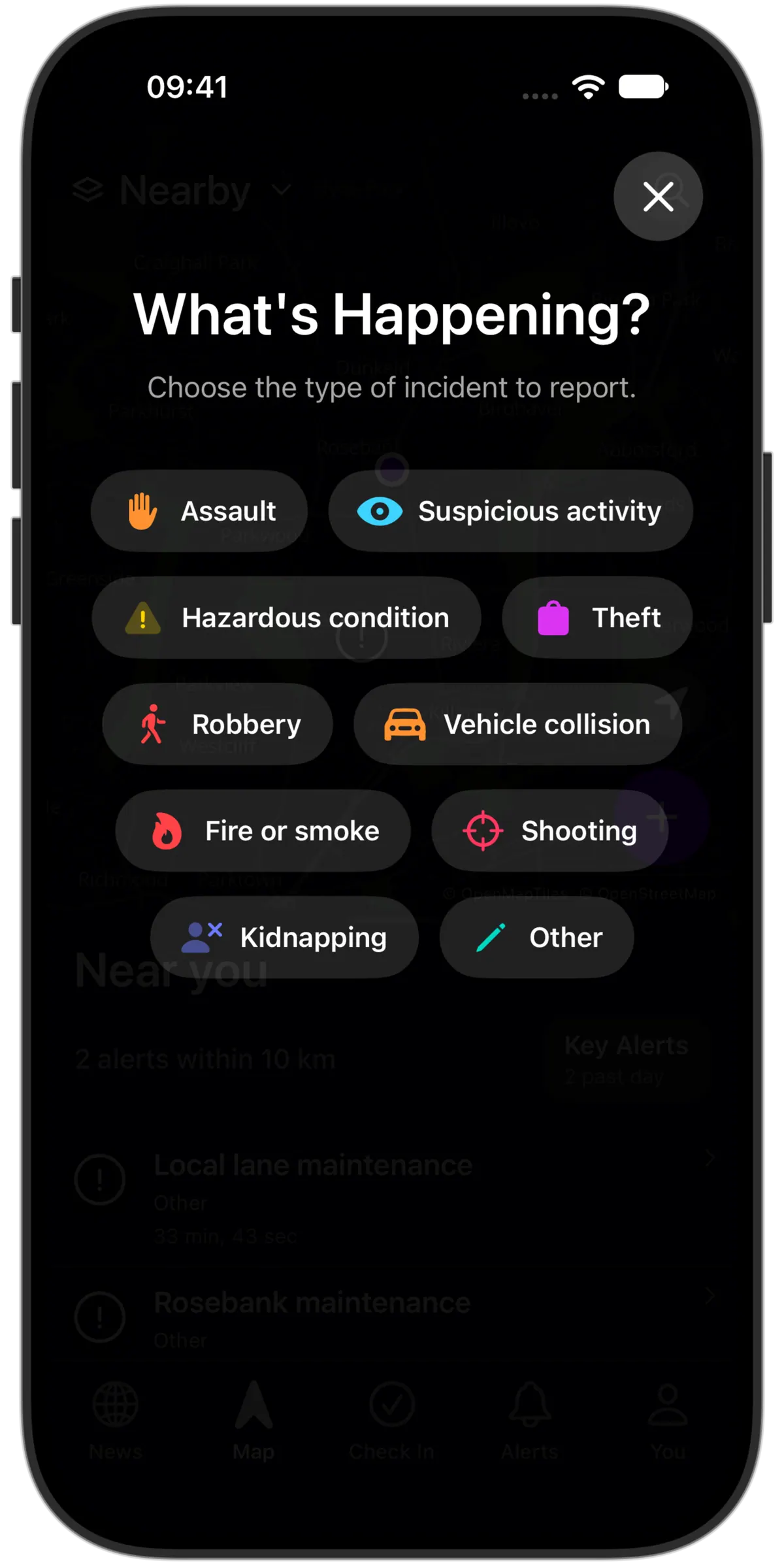
How community reporting works
The report category chooser in the Lookout iPhone app

Useful information. Shared responsibly.

More than
the map.

When you want someone to know where you are, share with a trusted contact. Set a check-in timer, or use Private SOS to ask selected contacts for help; it doesn’t contact emergency services.

Trusted contactsCheck-in timerPrivate SOS

Your live location isn’t public. You choose who can see it and can revoke access.
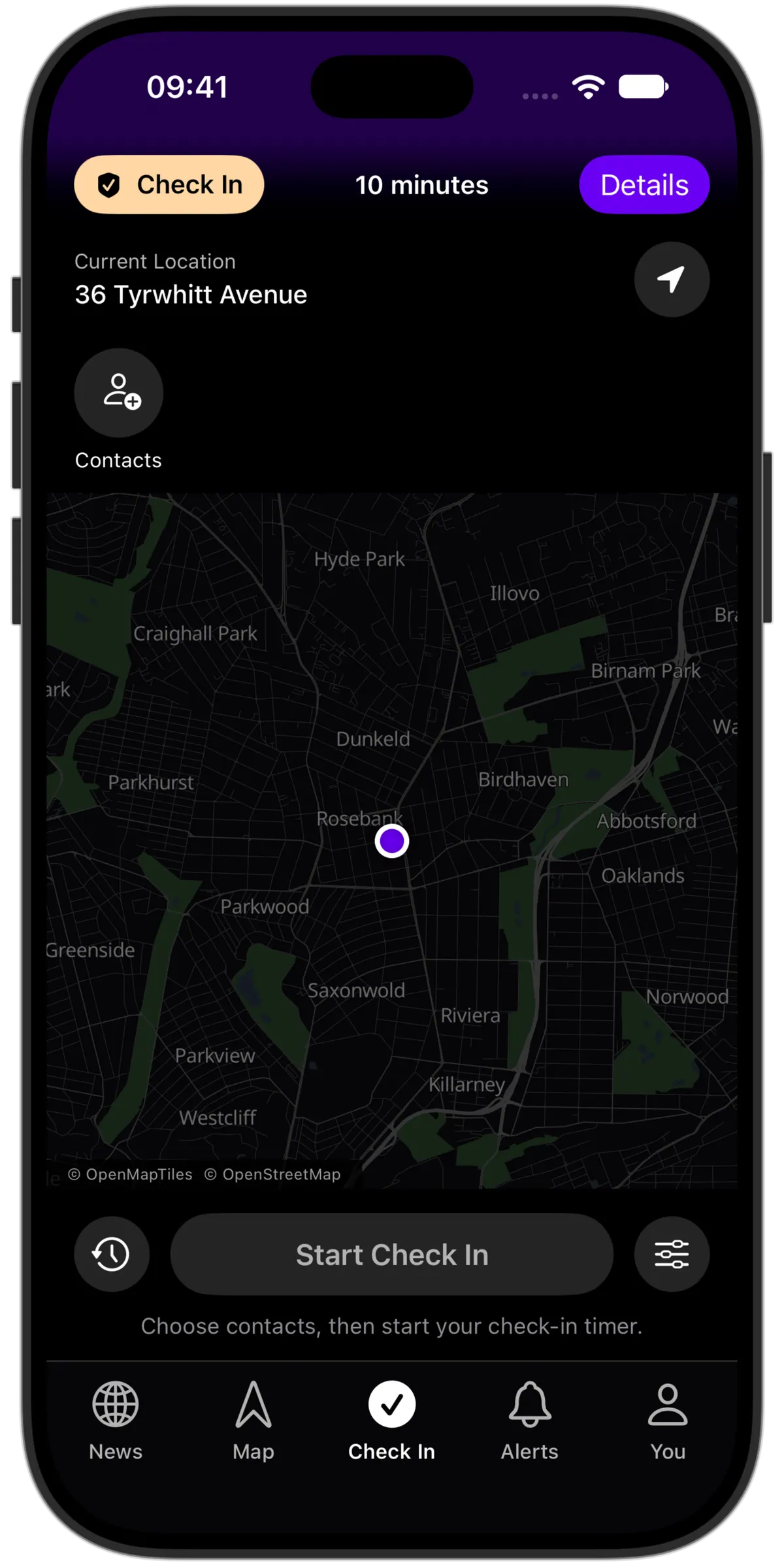
The safety timer and check-in controls in the Lookout iPhone app

Good questions.
Clear answers.

What to expect, what you control and what joining the waitlist means.

Lookout is an incident-awareness and safety app in development for South Africa. Its core is a map of community-reported incidents, local updates and alerts for areas you choose. It’s being built to help you check what’s happening nearby or around a destination before making plans. Trusted contacts, private sharing and check-ins add personal safety support.

We’re still building Lookout, and there’s no confirmed launch date yet. Join the waitlist and we’ll share launch and early-access news when there’s something to tell you. Features marked “Planned” are on the roadmap, not available yet.

We’ll save your email for Lookout launch and early-access updates. Joining doesn’t create an app account or enable location sharing, and it doesn’t guarantee early access. If you change your mind, email support@plexus.dev to leave the list.

Yes. Important safety features and knowing what’s happening nearby will be free. We don’t believe you should have to pay for that information or those tools.

Yes—that’s part of what we’re building. You’ll be able to explore community-reported incidents around a destination and follow updates before deciding where to go. Reports can be incomplete; Lookout won’t certify that an area or route is safe.

Incident reports are reviewed before publication. Discussion comments are screened when posted and reviewed afterwards. Moderation doesn’t independently verify every detail. Information may be incomplete or change as new details come in, so use reports as context for your decisions.

We plan to start with Cape Town and Johannesburg, then expand to more cities as Lookout grows. Community requests will help guide where we go next.

We’re building for iPhone first, with Android support planned to follow soon after. There’s no confirmed launch date for either platform yet.

The app uses location with your permission for nearby awareness and sharing you choose to enable. Giving the app location permission is not the same as sharing with another person. Joining a family or adding a trusted contact doesn’t automatically share your location.

Only people you approve can see your shared location. Joining a family doesn’t give its members access on its own. You can review who has access and revoke it in the app. Your shared live location is separate from the public incident map.

Private SOS creates an alert for the trusted contacts you select who are eligible to receive it. It is not a public broadcast. Creating an alert doesn’t confirm that a notification reached someone, and a response isn’t guaranteed.

No. Lookout does not dispatch emergency services. If you need urgent help, call local emergency services directly. Don’t wait for an app notification or response.

Be there from
the beginning.

Lookout is coming soon. Join the waitlist and we’ll let you know when it’s ready.

Launch and early-access updates only. Joining doesn’t create an app account or enable location sharing. Privacy

Starting with Cape Town and Johannesburg.

Launch and platform plans