Share what’s happening nearby
A road obstruction, a fire or something happening nearby: what you know can help someone else understand the situation. Community reporting is being built into Lookout.
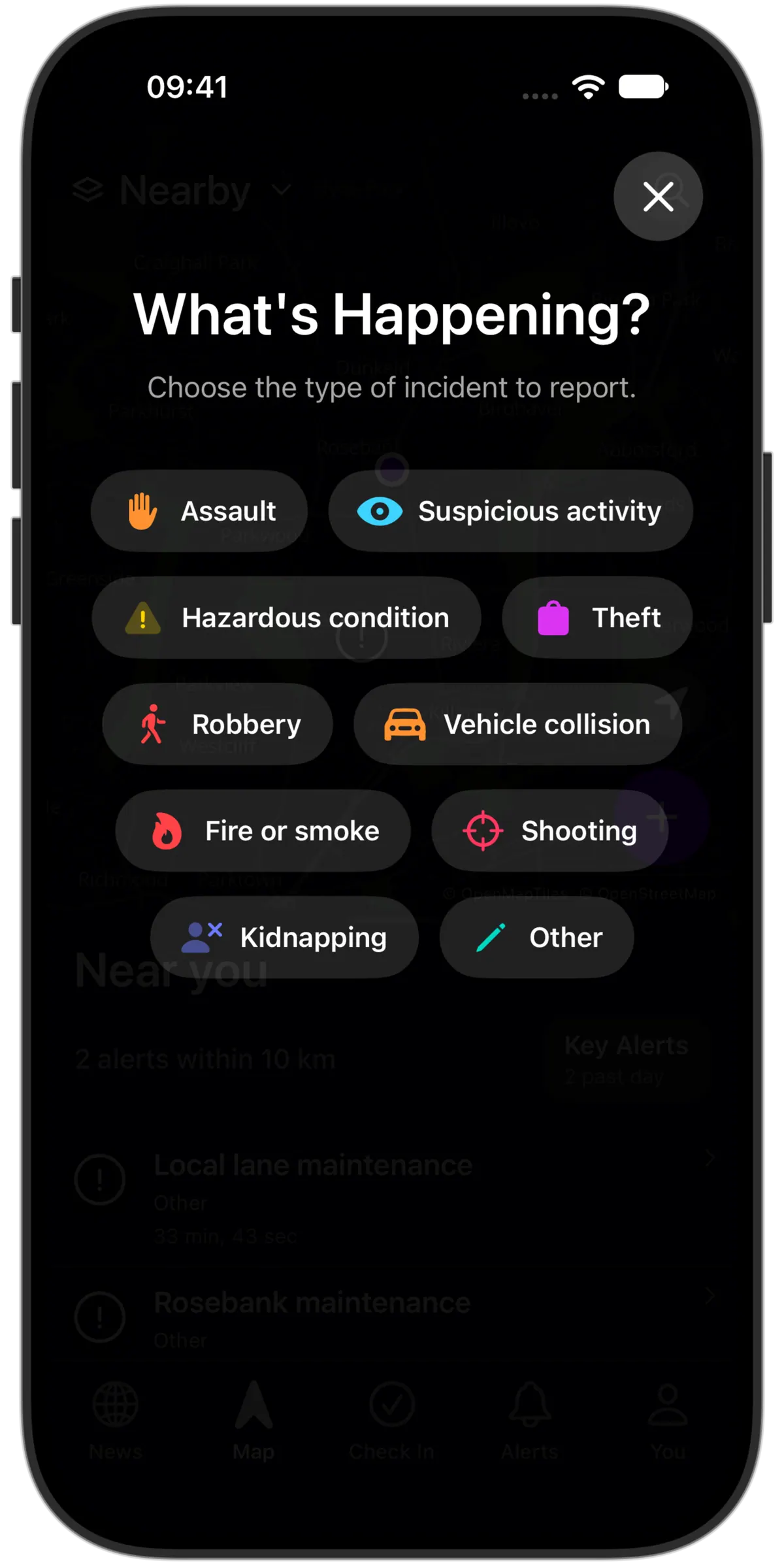
Start with what you observed
Choose a category, add the location and describe what happened. Give useful context and distinguish what you saw yourself from what you heard from someone else.
Submitting doesn’t publish a report
Your submission is private until reviewed. Public incident information is prepared separately, with an appropriate summary, approximate location and any approved media.
Help inform the neighbourhood
Moderation can reduce harmful or irrelevant publication, but it does not independently verify every detail. Avoid speculation and personal information that others do not need to understand the event.
Add context with a photo
Include relevant media with a report when it helps explain what happened. Only approved public media is shown with a published incident; private originals are kept separate.
Keep track after submitting
- Your report history
- Reopen your private submissions and their receipts. See the recorded status rather than assuming that submitting made a report public.
- Recover an uncertain submission
- If the connection drops, check the saved submission and retry it without sending the same report twice.
- Understand the review outcome
- Read the available text-review outcome and next-step guidance. Eligible submissions can request a limited automated recheck; this is not a promise of human review or publication.
- Correct or withdraw
- Tools to correct an owned report or withdraw it are also in development. A corrected revision needs a new review; withdrawal removes eligibility for future public views and alerts.